Posts for: #Server

📦 NVIDIA Driver Installation on Proxmox (Host + LXC)


1️⃣ Prepare the Proxmox Host

1.1 Update the system & install prerequisites

apt install g++ freeglut3-dev build-essential libx11-dev libxmu-dev \ libxi-dev libglu1-mesa-dev libfreeimage-dev libglfw3-dev \ wget htop btop nvtop nano glances git pciutils cmake curl \ libcurl4-openssl-dev pve-headers-$(uname -r) dkms make -y \ && update-initramfs -u && reboot now

Why?
Installs compilers, libraries, DKMS support, and updates the initramfs so the new kernel can load the driver.
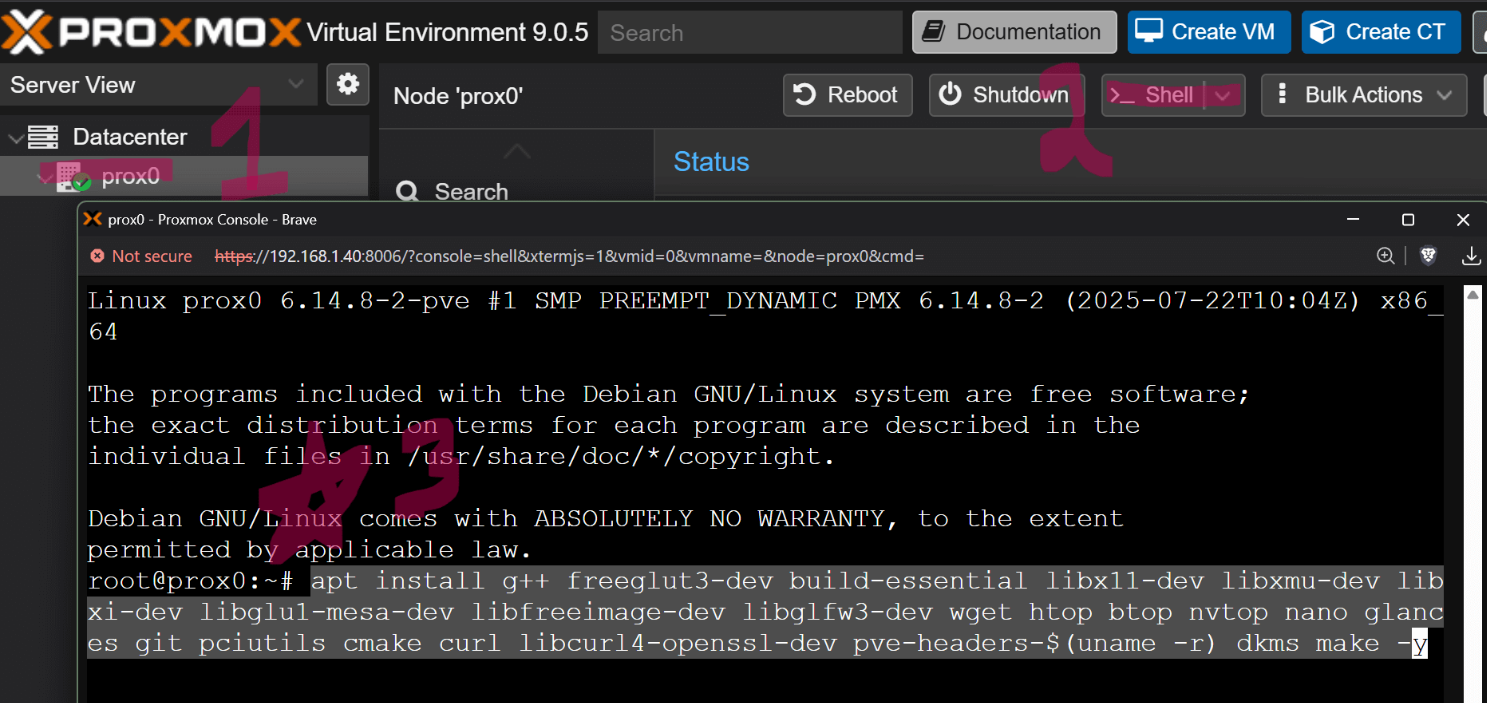
Image Description

[Read more]

You need this RIGHT NOW! Docker in Proxmox

Using an unprivileged LXC container is the recommended method. It’s incredibly lightweight, fast to boot, and provides strong security by mapping the container’s root user to a non-privileged user on the Proxmox host. We will use a Debian template, as it’s the foundation of Proxmox and is very resource-efficient.

Step 1: Create the Unprivileged LXC Container

  1. Download a Template: In your Proxmox web UI, select your node, then go to CT Templates under your local storage (or any other storage you use for templates). Click Templates and download the latest Debian template (e.g., `debian-12-standard).

[Read more]